
Product Description
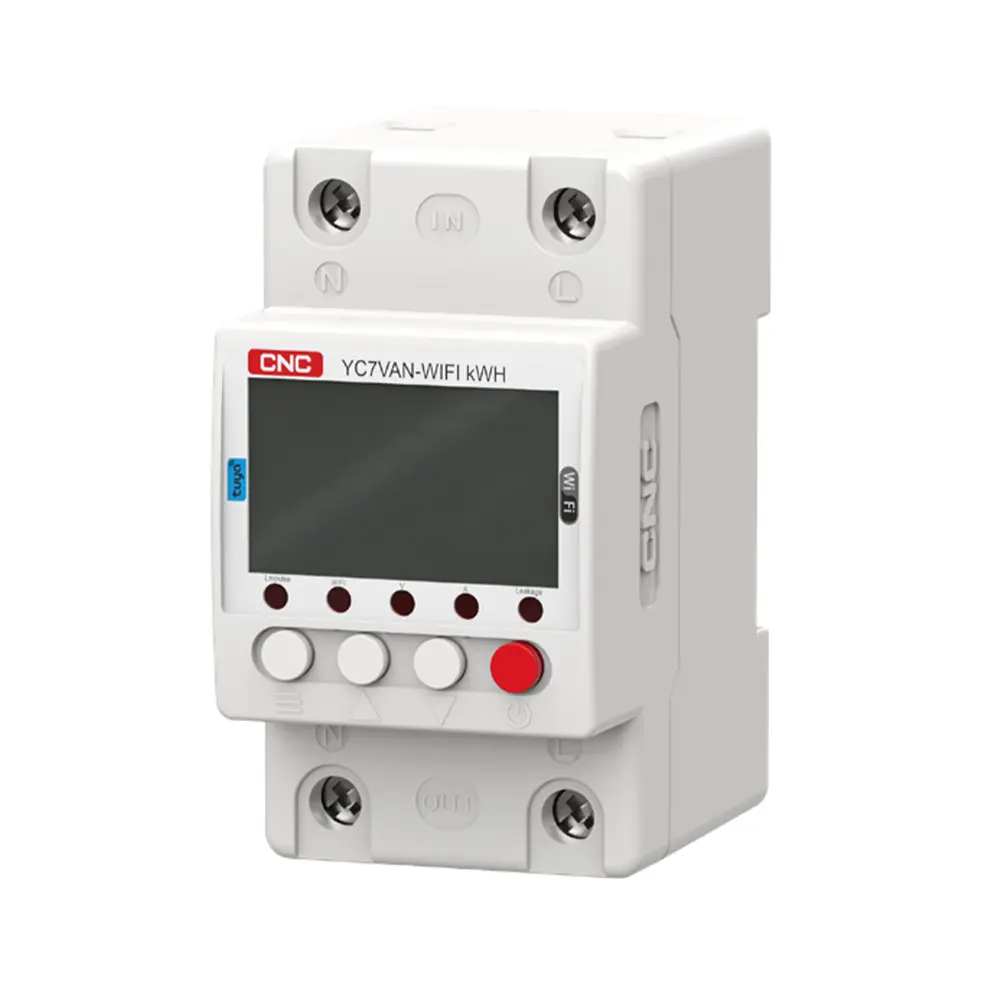
YC7VAN -WIFI kWH Voltage and Current Protector Price In Bangladesh.
YC7VAN -WIFI kWH Voltage and Current Protector.Product Details
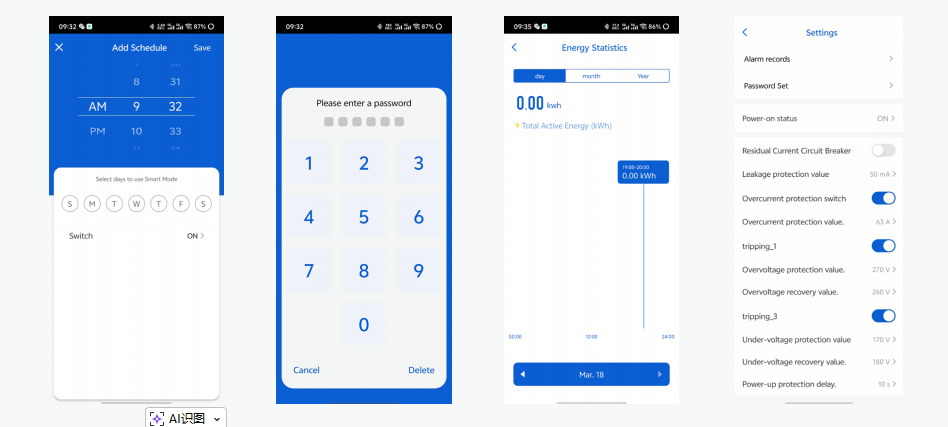
Network Connection
1. Press wifi▼ for 5 seconds until the WIFI indicator blinks quickly to enter the network connection
2. Scan the QR code underneath with mobile QR code scanning tool, or search “Tuya smart” at mobile application market to download and install APP.
3. Connect home WiFi on your mobile phone and start “Tuya smart” APP.
4. Follow the instruction in the APP to register/log in APP account and add new device.
5. After finishing adding new device, you can use APP to control your device conveniently.
6. APP is based on actual released version
Function
1. Remote control at anytime from anywhere
2. Schedule/Timer/loop timer
3. Energy monitoring
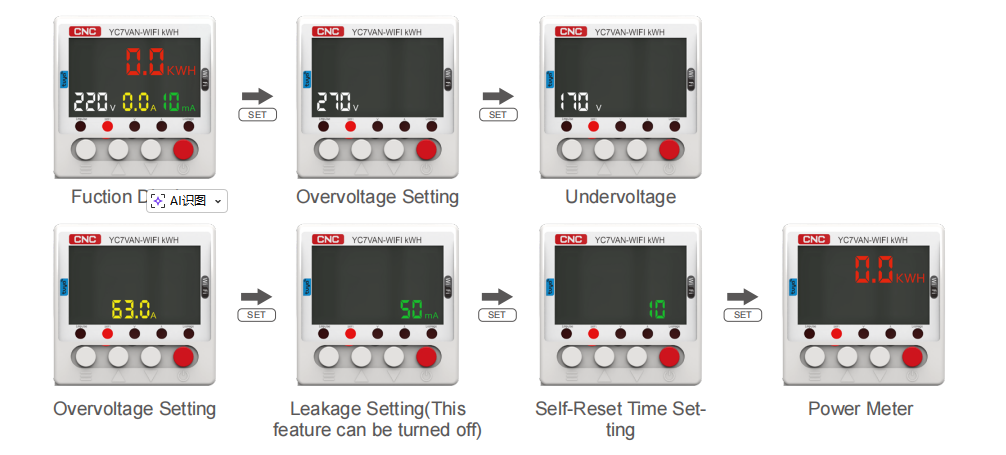
4. Under voltage protection 140V – 210V (adjustable) (default: 170V)
5. Over voltage protection 230V – 300V (adjustable) (default: 270V)
6. Over current protection 1A – 63A (adjustable) (default: 63A)
7. Electric leakage protection: 10 – 100mA (adjustable) (default: 50mA)
8. Preset current/voltage threshold values by app. Once the real – time current/voltage reaches the threshold values. The connected electrical appliances will be automatically turned off
Technical Parameters
1. Rated Supply Voltage: AC 220V
2. Operation Voltage Range: AC85V – 300V (single phase)
3. Rated Frequency: 50Hz
4. Electric Current (>A) setting range: 1A – 63A
5. Overvoltage (>U) setting range: 130V – 300V (adjustable)
6. Undervoltage (<U) setting range: 140V – 210V (adjustable)
7. Electric Leakage Protection range: 10mA – 100mA (This feature can be turned off)
8. Error: ≤2%
9. >U and <U trip delay: 1s – 500s (adjustable) (default: 10s)
10.Reset/Start Delay: 1s – 500s (adjustable) (default: 10s)
11.Voltage Measurement Accuracy: 1% (Not exceeding 1% of the rated voltage range)
12.Rated Insulation Voltage: 400V
13.Output Contact: 1NO
14.Altitude: ≤2000m
15.Operating Temperature: – 30 °C – 70 °C
16.Power Display Range: 0 – 9999.9kw/h
Network Settings
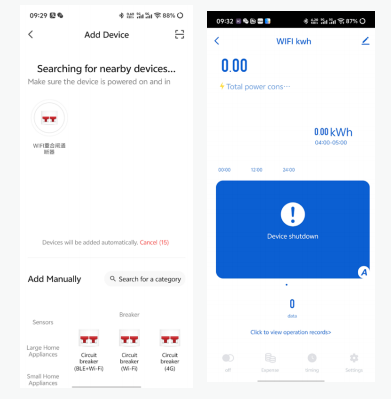
Start “Tuya smart” APP and log in. At the first page, select family at the top left corner and then click “+” on the top right corner to enter the device addition setting page.
Click “all device” and find out the “Energy” item to select. Turn the power on of the power meter and press ▼ key for 5 seconds till the network indicator flashes rapidly, click “confirming the indicator is flash rapidly” Button.
Parameter Settings
1. Click ☰ to view each data
2. Press ☰ for 5 seconds to enter setup mode, and then press SET to select, press ▲ and wifi ▼ key to adjust the set
Input the password of connected Wi – Fi. Only supports 2.4G wireless network, 5G wireless network is not supported. Existence of Chinese Characters in Wi – Fi name and password currently not supported, it may cause APP fails to add device.
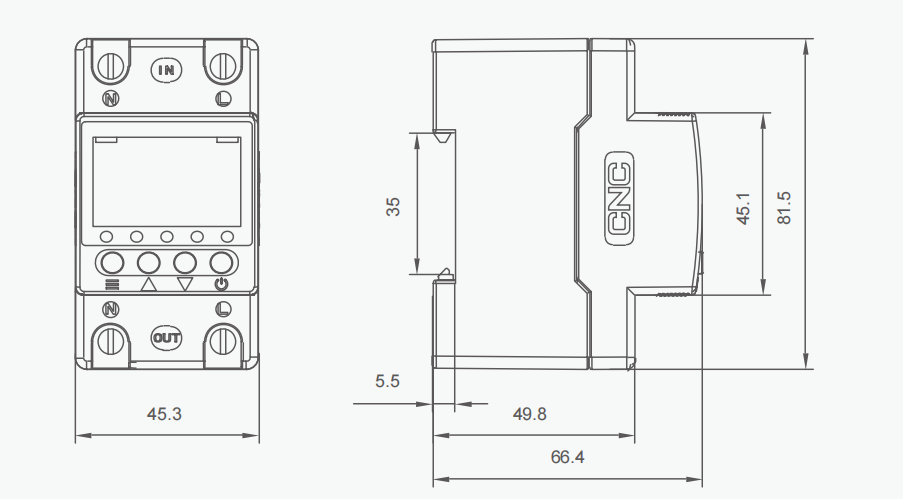
Overall and mounting dimensions(mm)
FAQ About Voltage and Current Protectors
Below are the most high-intent FAQ topics for YC7VAN-WIFI kWh Voltage and Current Protector pages. These questions focus on what users search before choosing smart protection devices, energy monitors, and voltage protection solutions.
Extra Information
Categories: AC Tools
